Stop reading.
Start knowing.
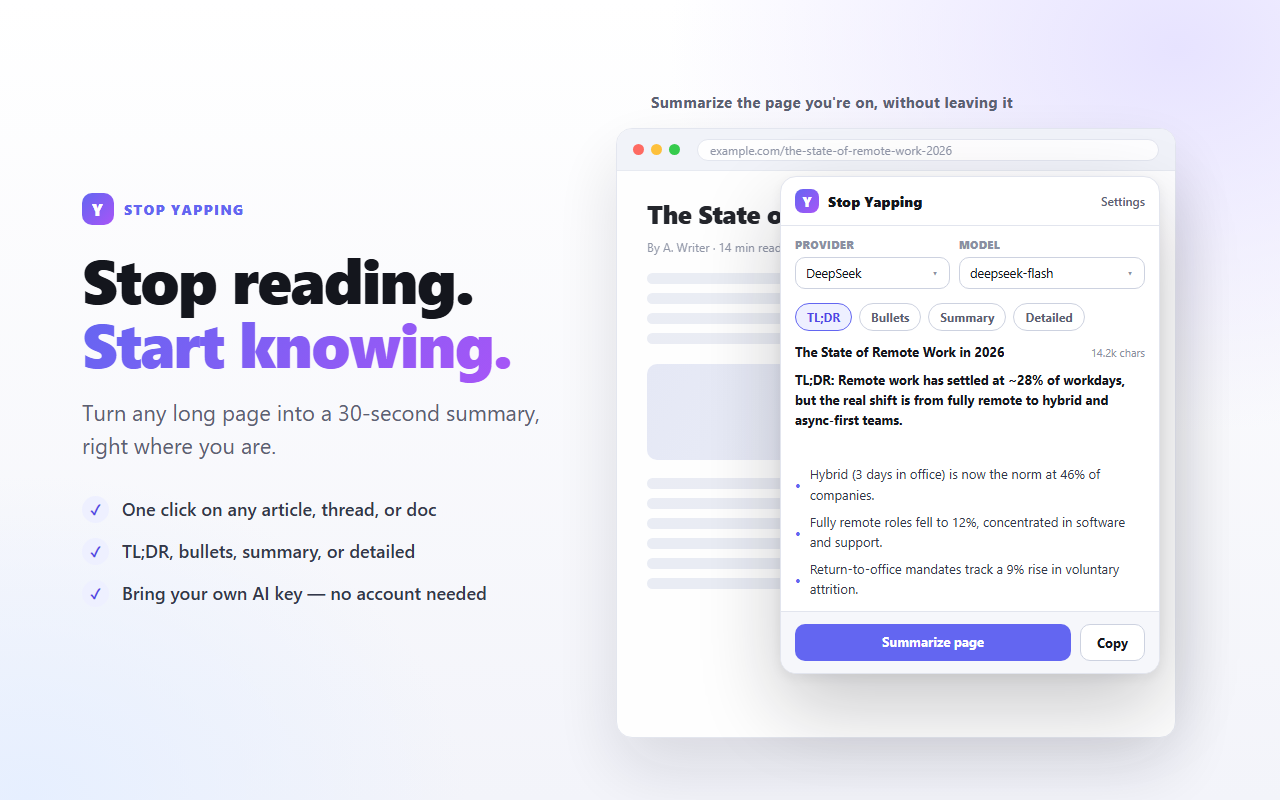
Turn any long page into a 30-second summary, right where you are. Articles, forum threads, docs, release notes — one click and you get the point.
Free and open source · No account · Bring your own AI key
TL;DR: Remote work has settled at ~28% of workdays, but the real shift is from fully remote to hybrid and async-first teams.
- Hybrid (3 days in office) is now the norm at 46% of companies.
- Fully remote roles fell to 12%, concentrated in software and support.
- Return-to-office mandates track a 9% rise in voluntary attrition.
Everything you need, nothing you don't
A single job done well: read the page, give you the point.
One click, streamed
Summarizes the page you're on, written out live as the model produces it.
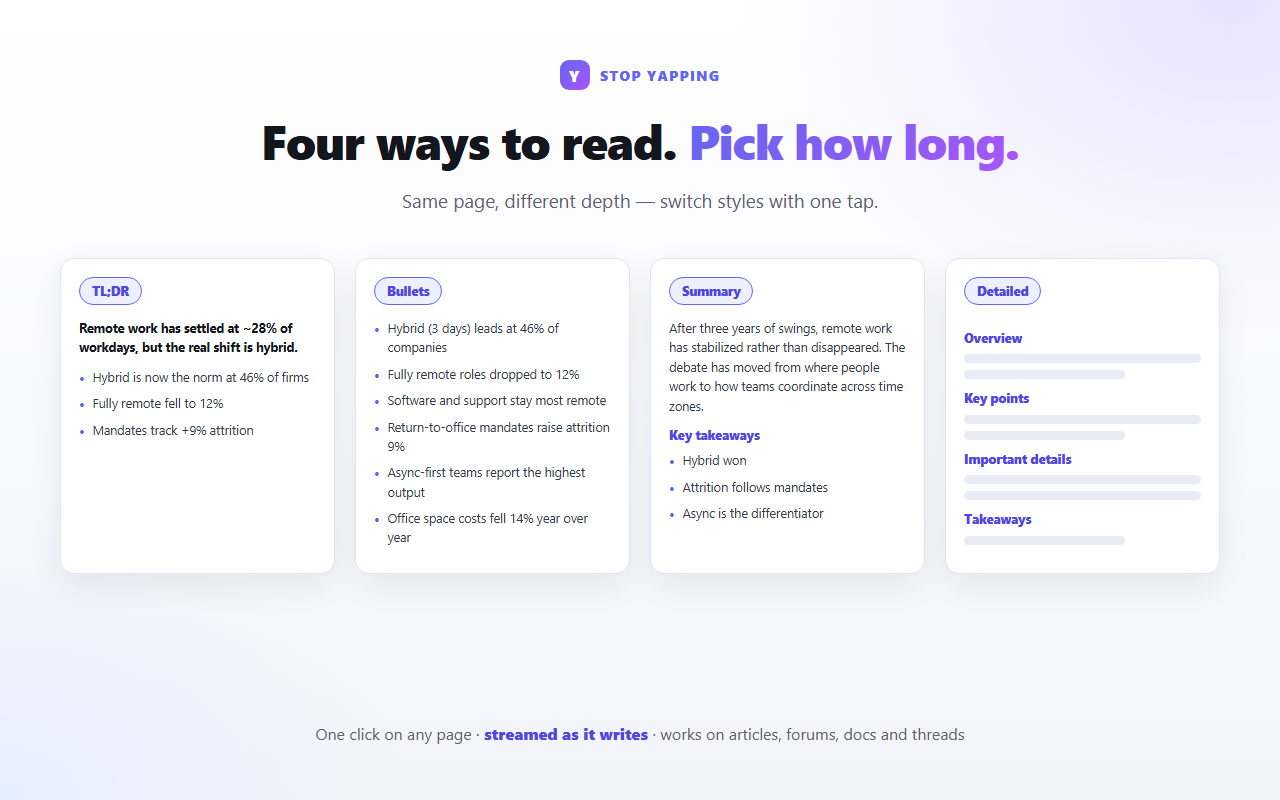
Four ways to read
TL;DR, Bullets, Summary or Detailed. Same page, different depth.
Any language
Choose the output language independently of the page's own language.
Cleans the clutter
Strips navigation, ads, cookie banners and sidebars so the summary is about the content.
Handles real pages
Works on modern app-style sites and threads that render inside shadow DOM.
Keyboard first
Open it with Ctrl+Shift+Y (Cmd+Shift+Y on macOS). Rebind anytime.
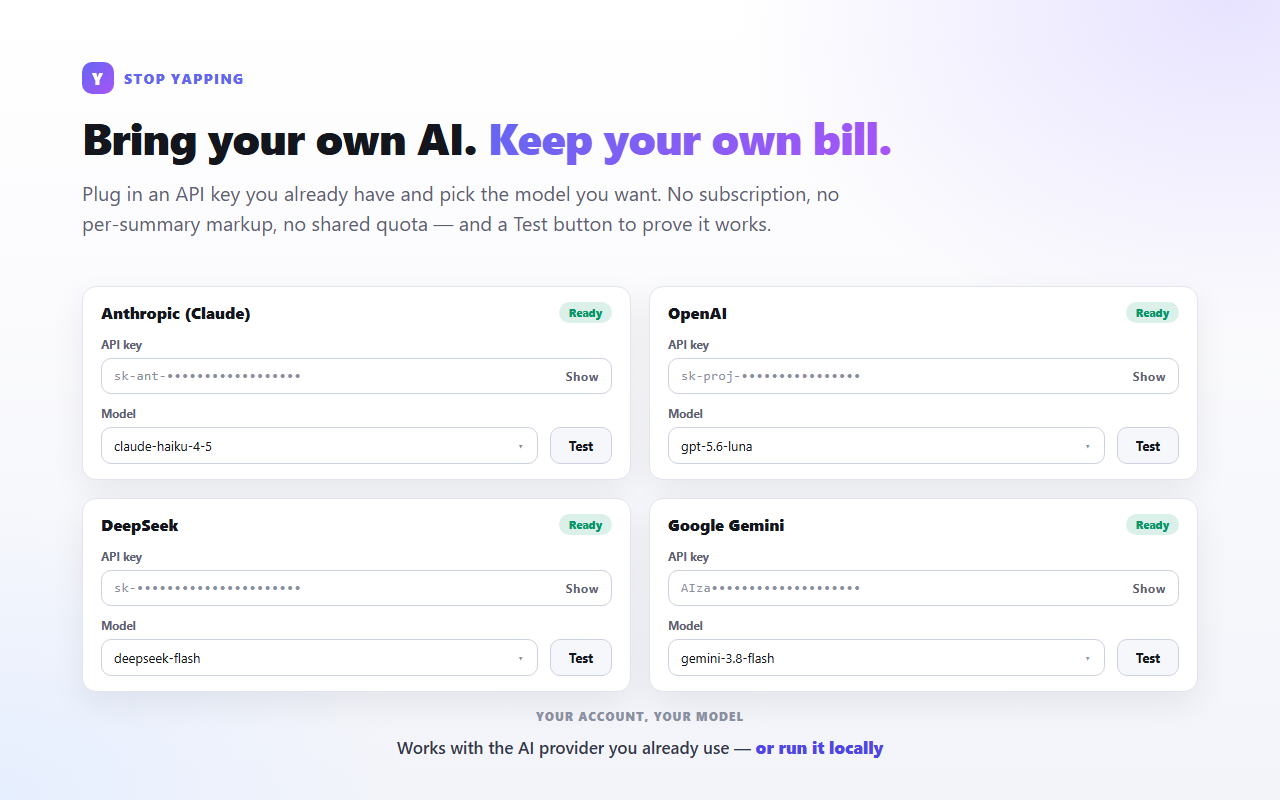
Your key. Your model. Your bill.
No subscription, no markup, no shared quota. Plug in an API key you already have, pick the model you want, and verify it works with the built-in Test button.
Set up once, then never think about it
Add a key
Open Settings and paste an API key for at least one provider. Hit Test to confirm.
Pick your style
Choose a provider, model and summary style in the popup.
Summarize
Click Summarize. Only the readable text of the current page is sent, and only when you ask.
See it in action
No account. No tracking. No server.
The developer never receives your data, because there is no backend to receive it.
- API keys are stored locally in your browser profile.
- Page text goes only to the provider you selected, only when you press Summarize.
- No analytics, no ads, no telemetry, no selling.
- Delete everything with one button, or by uninstalling.
How the request works: when you click Summarize, the extension extracts the readable text from the current tab and sends it, with your API key, straight to the AI provider you chose. Nothing passes through any other server.
Questions
Is it free?
Yes. The extension itself is free and open source. You pay your AI provider directly for what you use — usually a fraction of a cent per summary.
Do I need an API key?
Yes, for any cloud provider. You bring your own key, which keeps you in control of cost and quality. If you'd rather run everything locally, use Ollama — no key required.
Which provider should I use?
Any you already pay for. Cheap fast models (like a small Haiku- or Flash-class model) are more than enough for summarization. The Test button tells you immediately if a key and model work.
Where are my keys stored?
Locally, in your browser profile via chrome.storage.local. They are never sent to the developer and never synced. They are transmitted only to the provider you selected.
Does it work on every page?
Any normal web page, including app-style sites and threads that use shadow DOM. It can't read browser or extension pages, and pages with no readable text (some PDFs, videos, web apps) will report that there's nothing to summarize.
Ready to stop yapping?
Install it, paste a key, and never read a 3,000-word think-piece again.